Is Tarkov CPU Or GPU Intensive – Full Performance Guide
Escape from Tarkov is mostly CPU intensive, using processor power for AI and physics, while GPU helps mainly with graphics and higher settings.
This guide will help you understand how Tarkov uses your hardware, why performance issues happen, and how you can improve your gameplay.
Is Escape from Tarkov CPU or GPU Intensive?
Escape from Tarkov is mainly CPU-heavy, but it also needs a decent GPU.
The CPU handles:
- Game logic
- AI behavior
- Physics calculations
- Server communication
The GPU handles:
- Graphics
- Textures
- Lighting
- Visual effects
In simple words:
👉 CPU controls how the game runs
👉 GPU controls how the game looks
That’s why most players see better performance improvements when upgrading their CPU instead of GPU.
Why Escape from Tarkov is CPU Intensive
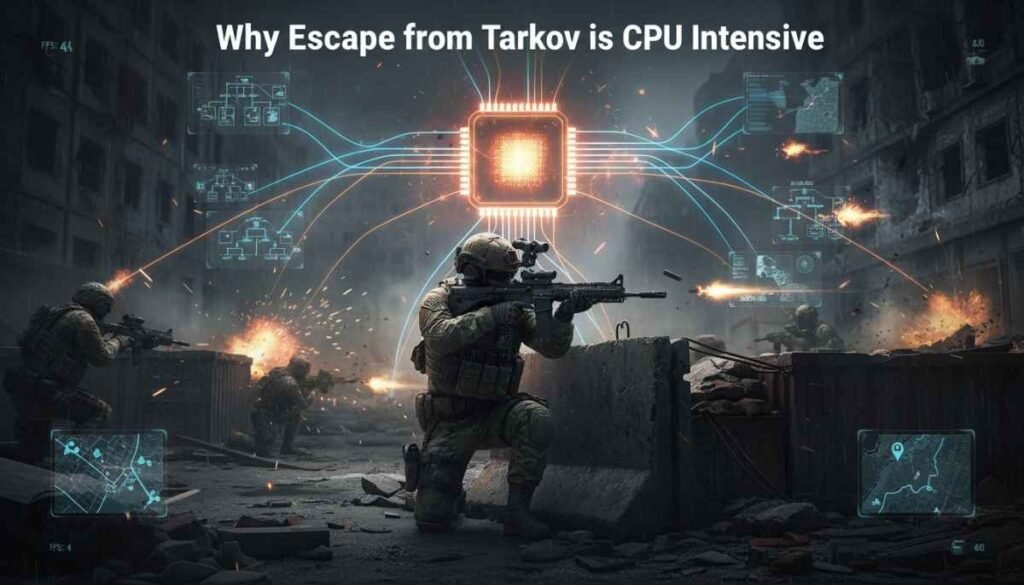
Tarkov is not a simple shooter. It has many complex systems running at the same time, and most of them depend on the CPU.
AI and Enemy Calculations
The game has smart AI enemies (Scavs and bosses). These enemies:
- Move around the map
- React to sounds
- Make decisions in real time
All of this processing happens on the CPU, which increases load and affects FPS.
Realistic Ballistics System
Tarkov uses a very detailed bullet system.
- Bullets have travel time
- They drop over distance
- They react to armor and surfaces
This is different from many arcade shooters. These calculations are handled by the CPU, making it work harder.
Map and Physics Processing
Each map in Tarkov is large and detailed.
- Loot spawns dynamically
- Objects have physics
- Player actions affect the environment
The CPU constantly updates this information, especially during active gameplay.
Server and Network Load
Tarkov is an online game, so it communicates with servers all the time.
- Player positions
- Loot sync
- Combat events
This adds extra pressure on the CPU, especially during intense fights.
When Tarkov Becomes GPU Intensive
Even though Tarkov is CPU-heavy, the GPU still matters in some cases.
High Resolution Gaming (1440p / 4K)
When you play at higher resolutions:
- GPU usage increases
- More pixels need to be rendered
At 1080p → CPU is the main factor
At 1440p/4K → GPU becomes more important
Ultra Graphics Settings
If you turn everything to high or ultra:
- Shadows
- Textures
- Lighting
Your GPU will start working harder, and performance will depend on both CPU and GPU.
Heavy Maps (Streets of Tarkov)
Some maps are more demanding than others.
The Streets of Tarkov map:
- Has more buildings
- More AI
- More details
It puts pressure on both CPU and GPU, especially VRAM.
Texture and VRAM Usage
High texture settings require:
- More GPU memory (VRAM)
- Faster rendering
If your GPU has low VRAM, you may see stuttering or texture pop-in.
CPU vs GPU in Tarkov (Performance Comparison)
Here is a simple comparison:
| Factor | CPU | GPU |
| Importance | Very High | Medium |
| Main Role | Game logic, AI, physics | Graphics and visuals |
| FPS Impact | Huge | Moderate |
| Bottleneck Risk | Very High | Medium |
👉 Conclusion:
If you want better FPS, upgrading your CPU usually gives more improvement.
What Affects FPS in Escape from Tarkov
Many players think only GPU matters, but that’s not true. Several factors affect your performance.
CPU Performance
Your CPU is the most important part.
- More cores help
- Higher clock speed helps more
- Cache also improves performance
Modern processors from AMD and Intel perform much better in Tarkov.
GPU Power
A good GPU is still needed, especially for:
- High settings
- High resolution
- Smooth visuals
But it won’t fix FPS drops caused by a weak CPU.
RAM (16GB vs 32GB)
Tarkov uses a lot of memory.
- 16GB = playable
- 32GB = smoother experience
Low RAM can cause:
- Stuttering
- Freezing
- Long loading times
Game Optimization Issues
Tarkov is not perfectly optimized.
Even high-end PCs can face:
- Random FPS drops
- Micro-stutters
- Inconsistent performance
This is due to the game engine and ongoing updates.
Best CPU and GPU for Tarkov
To get smooth gameplay, you need a balanced setup.
Best CPUs for Tarkov
Look for:
- High clock speed
- Good cache
- Strong single-core performance
Popular options include:
- AMD Ryzen X3D series
- Intel Core i7 / i9
These CPUs handle Tarkov’s heavy tasks much better.
Best GPUs for Tarkov
A mid to high-end GPU is enough for most players.
- RTX 3060 / 4060 → Good for 1080p
- RTX 4070+ → Better for high settings and 1440p
You don’t need the most expensive GPU if your CPU is strong.
How to Improve Tarkov Performance (Easy Tips)
If you are getting low FPS, try these simple fixes.
Best Graphics Settings
- Lower shadows
- Set textures to medium/high
- Turn off unnecessary effects
This reduces load on both CPU and GPU.
CPU Optimization Tips
- Close background apps
- Set game priority to high
- Keep drivers updated
These small changes can improve performance.
RAM Upgrade Advice
If you are using 16GB:
- Upgrade to 32GB if possible
This helps reduce stutters and improves stability.
Background Apps Control
Too many apps running can slow your system.
Close:
- Browsers
- Recording software
- Unused programs
This frees up CPU and RAM.
Common Tarkov Performance Problems
Here are some issues many players face:
Low FPS on High-End PC
Even with strong hardware, you may see low FPS due to:
- CPU bottleneck
- Game optimization
Stuttering Issues
Stutters happen when:
- RAM is full
- CPU is overloaded
CPU Bottleneck
This happens when:
- CPU is too slow
- GPU is not fully used
Result: lower FPS even with a good GPU
GPU Underutilization
In Tarkov, GPU usage is often:
- 50–70%
This shows the game depends more on CPU.
Is Tarkov Poorly Optimized?
Many players say Tarkov is not well optimized.
This is partly true.
Reasons:
- Complex game systems
- Heavy CPU usage
- Ongoing development
However, updates are improving performance over time.
Best CPU for Tarkov
The best CPU for Tarkov is one with high speed and strong performance. AMD Ryzen X3D or Intel Core i7 works very well. These CPUs handle game calculations smoothly and give better FPS, especially in busy maps and fights.
Tarkov CPU Intensive
Yes, Tarkov is a CPU intensive game. It uses the processor for AI, physics, and game logic. Because of this, a strong CPU is more important than a GPU for getting smooth gameplay and stable FPS.
Tarkov Using More GPU Than CPU
Sometimes Tarkov can use more GPU than CPU, but only in certain situations. This happens when you play at high resolution or ultra settings. Still, in most cases, the game depends more on CPU than GPU.
Tarkov CPU Bottleneck
A CPU bottleneck in Tarkov happens when your processor is too weak. Your GPU cannot work fully, and FPS stays low.
This is common in Tarkov, so upgrading your CPU often improves performance more than upgrading GPU.
Tarkov Not Using GPU
If Tarkov is not using your GPU fully, it means the CPU is limiting performance. The game cannot push the GPU because it depends more on processor tasks, which is why GPU usage often stays lower than expected.
What Games Are GPU Intensive
GPU intensive games focus more on graphics and visuals. Games like Cyberpunk 2077, Red Dead Redemption 2, and Microsoft Flight Simulator need strong GPUs. These games use high textures, lighting, and effects, which increase GPU workload a lot.
Tarkov Using Only 50% of CPU and GPU
If Tarkov is using only around 50% of your CPU and GPU, it usually means the game is limited by optimization or engine issues. It may also depend on settings, map, or background tasks affecting performance.
FAQs
Does Tarkov need a good GPU?
Yes, Tarkov needs a good GPU for higher settings and resolution, but CPU still plays a bigger role in overall performance.
Is 64GB of RAM overkill for Tarkov?
Yes, 64GB RAM is overkill for Tarkov. Most players get smooth performance with 16GB or 32GB without any major issues.
Is Tarkov CPU or GPU intensive on Reddit?
Most Reddit users agree Tarkov is CPU intensive. Many players report better FPS after upgrading CPU instead of upgrading GPU.
Why is a game using 90% of my CPU?
A game uses 90% CPU because it handles many tasks like AI, physics, and background processes, especially in poorly optimized games.
Is Tarkov CPU demanding?
Yes, Tarkov is very CPU demanding because it runs complex systems like AI, physics, and real-time calculations during gameplay sessions.
Why is Tarkov more CPU heavy than GPU?
Tarkov is CPU heavy because it focuses more on game logic, AI, and calculations instead of graphics, which rely on GPU.
CPU usage low, GPU usage high?
Low CPU and high GPU usage means your game is GPU bound, usually happening at high resolution or ultra graphics settings.
What do FPS games use more of, CPU or GPU?
Most FPS games use both CPU and GPU, but fast-paced shooters often depend more on CPU for smooth gameplay performance.
What CPU is required to run Escape from Tarkov smoothly?
To run Tarkov smoothly, you need a modern CPU like Ryzen 5 or Intel Core i5 with good clock speed.
Cpu is at 60% Gpu 100% when playing is that fine?
Yes, this is fine. It means your GPU is fully used, and your system is GPU limited, not CPU limited.
Conclusion
Escape from Tarkov is clearly a CPU-intensive game, which means your processor has the biggest impact on performance. The CPU handles AI, physics, and game logic, while the GPU mainly improves graphics and visual quality.
If you are facing low FPS or stuttering, the problem is often a weak CPU or low RAM, not your GPU. Upgrading to a faster processor and having at least 16GB–32GB RAM can make a big difference.
The best approach is to build a balanced system, but always prioritize CPU first for smoother gameplay in Tarkov.